Pipeline email notifications
Pipeline email notifications
Pipeline email notifications help you track runs and respond to transfer problems.
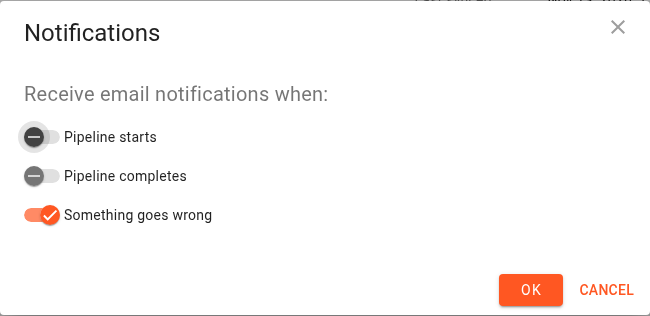
Click Notifications on an existing pipeline's card. On the new pipeline page, click Edit in the Notifications card.
Scheduled and manual pipelines
Choose the events you want to receive emails about:
Option | When it notifies you |
|---|---|
Pipeline starts | A migration starts in the pipeline. |
Pipeline completes | A migration finishes, including completion with warnings or object errors. |
Something goes wrong | A migration fails to start, fails during execution, or finishes with warnings or errors that need attention. |
Enable Something goes wrong if you want to be notified about problems without receiving an email for every normal start and finish. Enable Pipeline completes as well if you want confirmation of successful runs.
Click OK to save the preferences. If all options are off, the pipeline's notification summary indicates that notifications are disabled.
Continuous pipelines
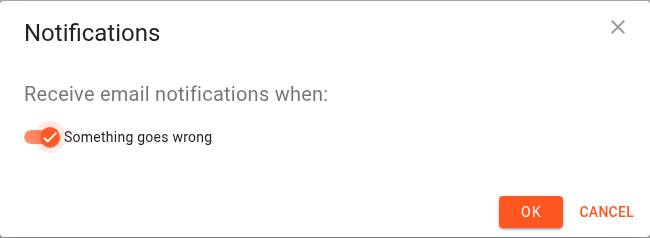
Continuous pipelines keep processing events rather than completing recurring runs. Their notification editor shows Something goes wrong; the start and completion toggles are hidden.
Use the pipeline's monitoring panel and Log to investigate reported problems.
Account settings
Email notifications must also be enabled in your account settings. If they are disabled for the account, the pipeline's Notifications action is disabled and the new pipeline page links to the account settings.
Enable account notifications, then return to the pipeline to configure its preferences.
Custom notification settings
A pipeline configured through the API may use a combination of notification settings that cannot be represented by the three standard toggles. The console displays Custom notification settings are used and lists the individual event preferences.
Choose Reset to default settings if you want to replace that custom combination with the standard preferences, then review the toggles and click OK.
Email notifications and storage event notifications
The Notifications action configures emails to you. Continuous replication also uses S3 Event Notifications to discover source changes. Those are separate settings, accessed through Monitoring → Notification config.
Changing email preferences does not repair the storage event configuration. See Continuous pipeline notification configurations.