Replication pipelines
A replication pipeline is a saved configuration for transferring data between object storage locations. It combines source and destination mappings, transfer settings, a schedule, and email notification preferences.
Use pipelines to maintain a replica in another cloud, copy newly added data to an archive, or repeat a transfer without configuring a new migration each time.
Open the Pipelines tab in the Flexify.IO Management Console to create and manage your pipelines.
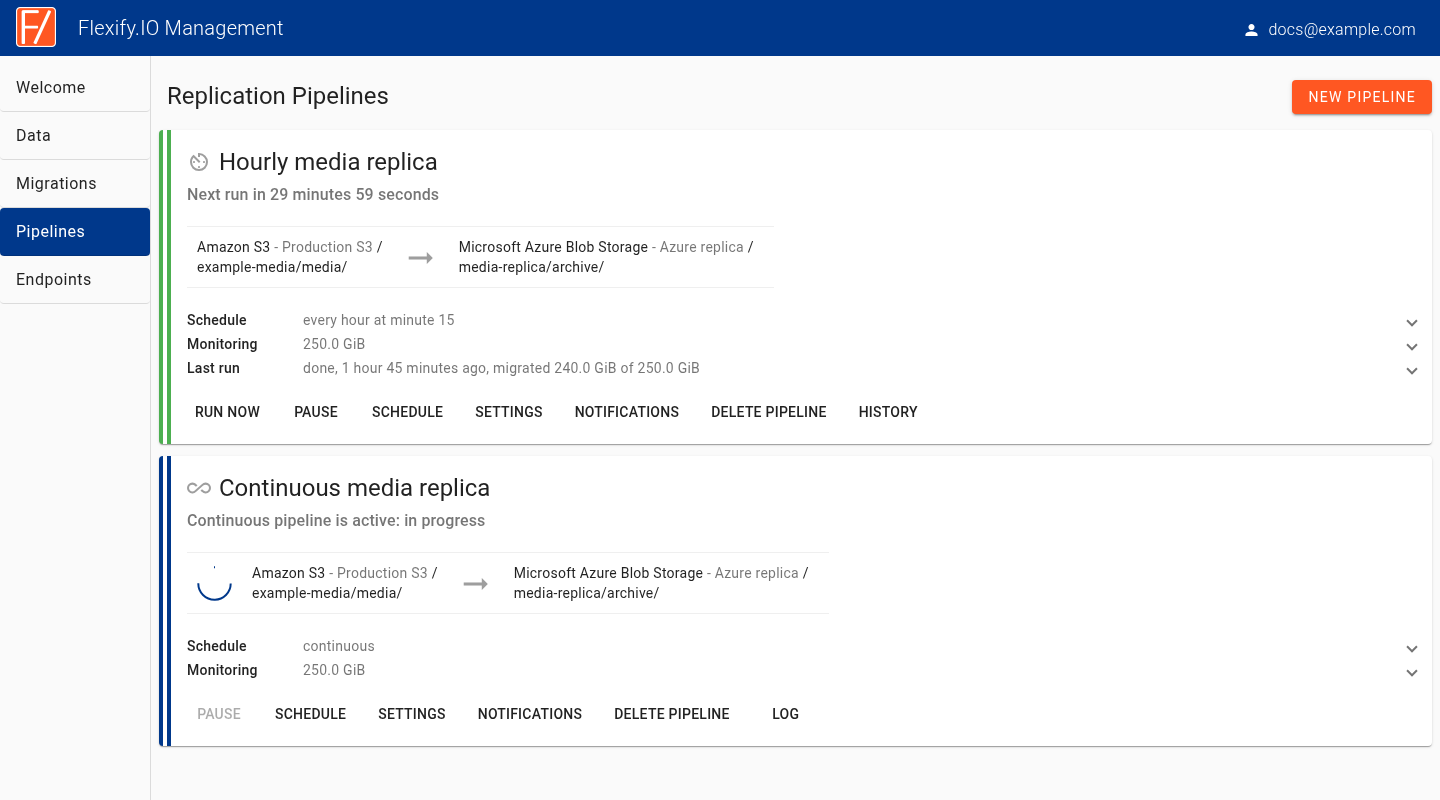
How pipelines work
A pipeline defines what should happen. A migration is an individual execution of that configuration.
For a scheduled pipeline, Flexify.IO starts migrations at the configured times. Each run applies the saved mappings and settings. Conflict resolution and hash comparison settings determine whether an existing destination object is copied again or skipped.
A continuous pipeline processes changes reported by Amazon S3 Event Notifications. It keeps listening for events instead of completing a sequence of scheduled scans.
Type | How it runs | Typical use |
|---|---|---|
No schedule | You start each run with Run now. | Reusing a transfer configuration when needed. |
Hourly, daily, weekly, or monthly | Flexify.IO starts a migration at each scheduled time. | Periodically updating a replica or archive. |
Continuous | Flexify.IO processes source bucket events as they arrive. | Ongoing replication of changes from AWS S3. |
Scheduled pipelines work with the storage services supported by your migration configuration. Continuous pipelines currently require AWS S3 sources and additional notification infrastructure.
What a pipeline contains
Mappings: the source and destination buckets or containers, including optional object key prefixes. A pipeline can contain multiple mappings.
Transfer settings: how objects are selected, copied or moved, compared, and handled when they already exist in the destination.
Schedule: when replication runs, or whether it runs continuously.
Notifications: which pipeline events should generate an email.
Each mapping defines a direction of transfer. Choose Copy when the source should retain its objects. Choose the destination Sync mode according to whether destination objects should be preserved or deletions should be propagated.
Example
An application stores media in an Amazon S3 bucket. You want a second copy in Azure Blob Storage.
Add both storage accounts to Flexify.IO, create a mapping from the S3 bucket to the Azure container, and use Copy mode. An hourly schedule periodically updates the replica. A continuous pipeline processes supported changes through S3 event notifications.
The choice between preserving destination objects and propagating deletions is separate from the choice of schedule. See Pipeline mappings and transfer settings.
Getting started
For event-based replication, start with Continuous replication pipelines.