Continuous replication pipelines
Continuous replication pipelines
A continuous pipeline replicates changes from AWS S3 using event notifications. Instead of periodically listing the source to start another complete run, Flexify.IO processes notifications for newly created or updated objects and, when configured, deleted objects.
Use continuous replication when you want changes to flow to another storage location throughout the day. Processing is asynchronous: transfer time depends on event delivery, available engines, object sizes, and destination performance.
How it works
Flexify.IO configures S3 Event Notifications on each source bucket for the mapping's source prefix.
S3 sends matching events to the configured Amazon SQS queue.
Flexify.IO engines consume events and apply the pipeline's transfer settings to the mapped destination.
The pipeline keeps processing subsequent events.
Flexify.IO manages the notification rules and queues for normal console-created configurations. You can inspect their status from the pipeline's monitoring panel.
Requirements
AWS S3 source accounts: every source mapping must use the AWS S3 provider. Other S3-compatible providers and Azure sources are not currently supported for continuous pipelines.
A known source bucket region: Flexify.IO needs the source region to configure notifications and queues.
Notification permissions: the source credentials must allow Flexify.IO to read and update the bucket's event notification configuration, as well as perform the required object operations.
Organisation queue configuration: an administrator must configure the SQS integration for your organisation. The Continuous schedule option appears when this configuration is available.
Available engine capacity: continuous pipelines use existing engines. Automatic deployment of new engines for a run is unavailable.
A supported destination: destination access must permit the writes and any deletions requested by the pipeline.
The notification setup is separate from your storage account credentials. In a self-hosted deployment, ask your administrator to verify the organisation's queue integration and engine access to SQS.
Create a continuous pipeline
Add the source AWS S3 storage account and destination storage account on the Data tab.
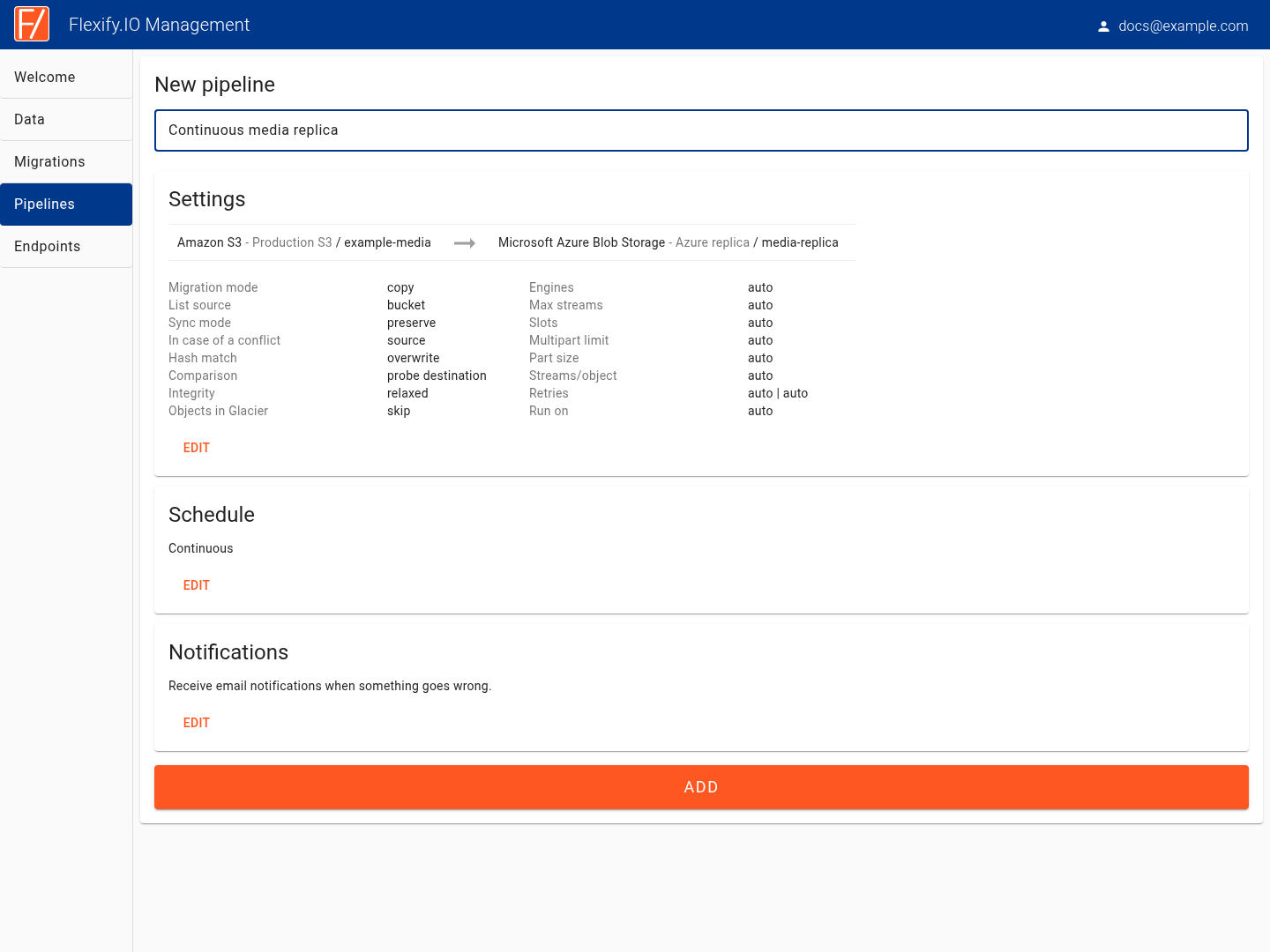
Open Pipelines → New pipeline and enter a name.
In the Schedule card, click Edit, select Continuous, and click OK.
In the Settings card, click Edit and configure the source and destination mappings.
Open Advanced settings, review conflict resolution and deletion behaviour, and click OK.
Review email notification preferences.
Click Add.
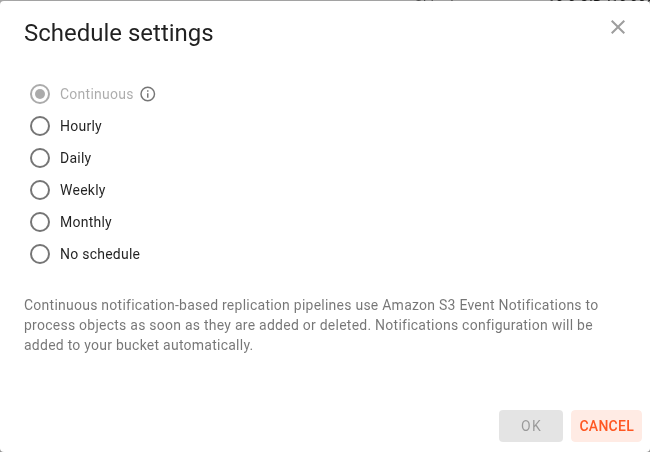
Selecting Continuous before editing the transfer settings allows the editor to apply compatible defaults and restrictions.
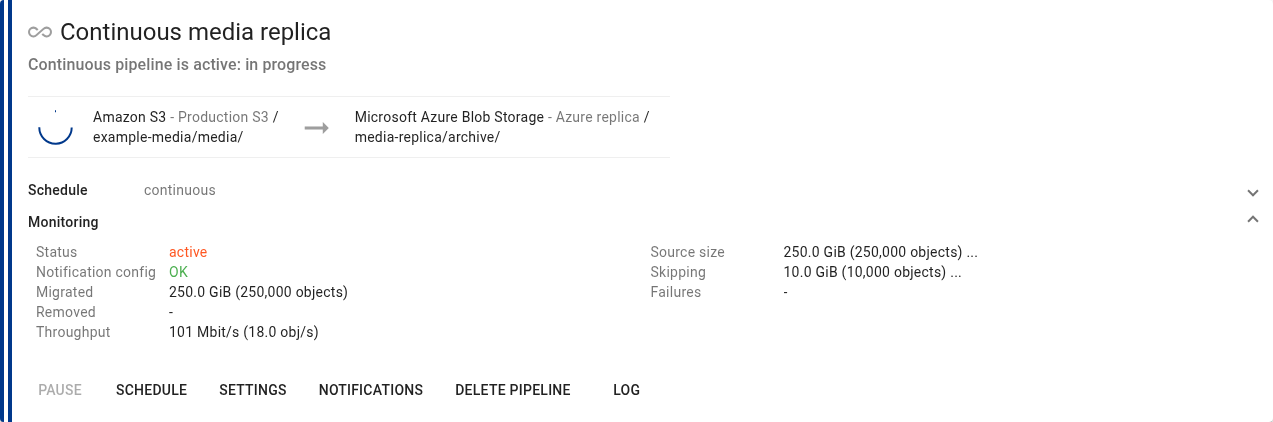
After creation, the pipeline can show Setting up continuous pipeline, Continuous pipeline will start soon, or a notification setup message before it becomes active. Expand Monitoring and verify Notification config.
Existing data and ongoing changes
Continuous replication processes storage events. Objects that already exist before notifications are configured need an initial bulk migration if you want them included in the replica.
Plan the initial copy and the transition to continuous processing together. Verify the existing data and new changes before treating the destination as a complete replica. If event delivery has been interrupted or events have expired, a regular migration can also be used to reconcile existing objects.
See Starting migration for the bulk transfer workflow. Deletion reconciliation requires separate attention to the selected sync mode and mapping scope.
Deletion behaviour
In Settings → Advanced settings, choose the Sync mode:
Preserve (preserve destination objects): replicate eligible object creation and update events without propagating source deletion events.
Delete (propagate deletes): include source deletion events so the corresponding destination objects can be removed.
Deletion propagation applies to events received for the configured mappings. It does not perform a full destination cleanup scan when you enable continuous replication.
Migration mode is separate: Copy keeps the source objects, while Move removes successfully migrated source objects. For a replica that retains its source, use Copy.
Compatible transfer settings
Continuous pipelines use a restricted set of migration settings:
Setting | Continuous pipeline behaviour |
|---|---|
Source | AWS S3 for every mapping. |
Object list URL | Unavailable. Objects are selected through bucket events. |
Source prefix | Used when configuring source event notifications. |
Match pattern | Can further restrict eligible object keys. |
Modified from / Modified to | Unavailable. |
Prefer newer object | Unavailable. Choose a compatible conflict policy such as Prefer source object. |
Hash match | Skip object is unavailable; the compatible setting is Overwrite anyway. |
Comparison method | Probe destination. |
Automatic archive restoration | Unavailable. |
Automatic engine deployment | Unavailable; use existing engine capacity. |
If you configure mappings and settings before selecting Continuous, the option may be disabled. Hover over its information icon to see incompatible settings, then edit Settings to resolve them.
Convert an existing pipeline
To switch a scheduled or manual pipeline to continuous operation:
Wait for its active migration to finish, or stop the current run.
Edit Settings so all sources and transfer options are compatible.
Click Schedule, select Continuous, and click OK.
Check the notification configuration and wait for the pipeline to become active.
To switch back, choose a periodic schedule or No schedule. Flexify.IO stops continuous processing and removes its managed notification configuration. Wait for cleanup to finish before switching back to continuous mode again.
Operate and monitor
An active continuous pipeline keeps running while it waits for and processes events. It does not have a completion percentage or a normal recurring completion time.
Use Monitoring for status, throughput, transferred and removed totals, and notification configuration. Use Log to inspect execution messages.
The current console disables Pause and Resume for continuous pipelines. Run now, Stop current run, History, and the current/last run panels are not offered for continuous pipelines. To end continuous operation, change the schedule or delete the pipeline.
If a continuous pipeline is paused through an API or administrative action, its notifications and queues remain configured. Events continue to accumulate and are subject to queue retention; the managed queues retain messages for up to 14 days. Resume and verify replication before that backlog expires. Changing the schedule is different from pausing because it removes the managed notification configuration.
Reconfiguration and deletion
Editing source mappings can require changing notification rules and transferring queue configuration. Some changes cannot preserve event coverage without an explicit override. Review Continuous pipeline notification configurations before accepting these options.
Click Delete pipeline to remove a continuous pipeline. Flexify.IO stops its processing and initiates cleanup of managed event notifications and queues. The card remains in a removing state until cleanup finishes. The deletion action itself leaves the objects in source and destination storage in place.