Managing storage accounts
Once you have a Storage Account added, it will appear on the Data tab. You can see the name of the Storage Account and overall statistics on the buckets it contains:
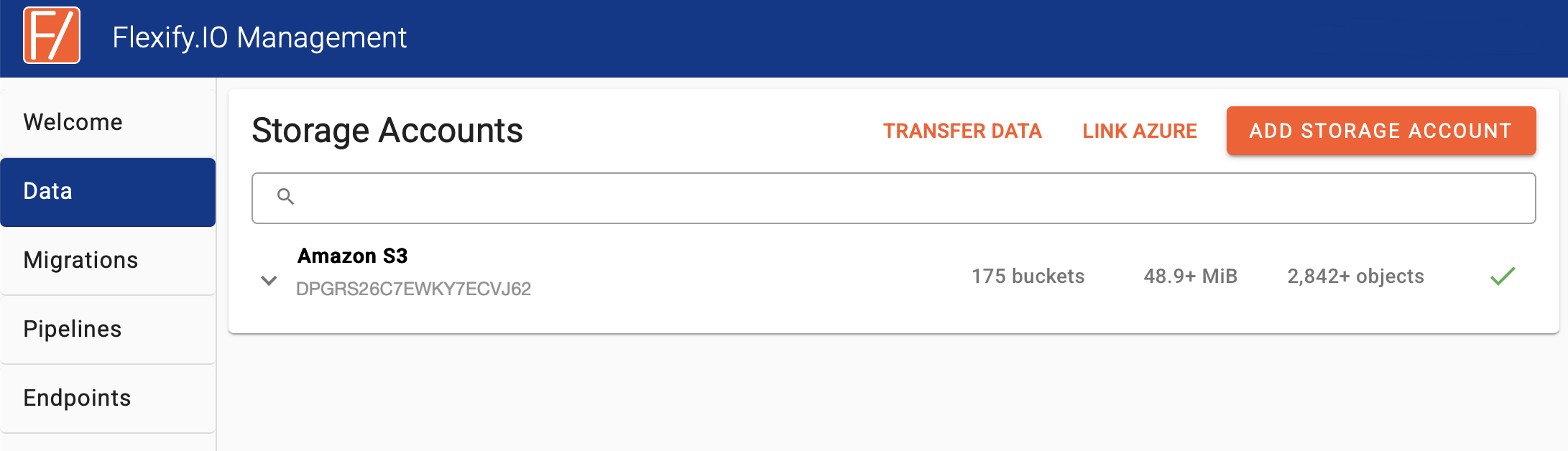
You can open a storage account’s details to update its settings, refresh its buckets list, and inspect logs. Object counts and sizes can be refreshed separately. Refreshing this information does not synchronize data between storage locations.
Learn how to manage buckets on the Managing a bucket page.
In the above example, we can see a green tick  - this indicates that there are no reported issues with this Storage Account. A warning is shown with this symbol:
 . If the status is unknown, this will be shown in grey.
Clicking the green tick reveals a … button which shows the Storage Account Settings dialog.
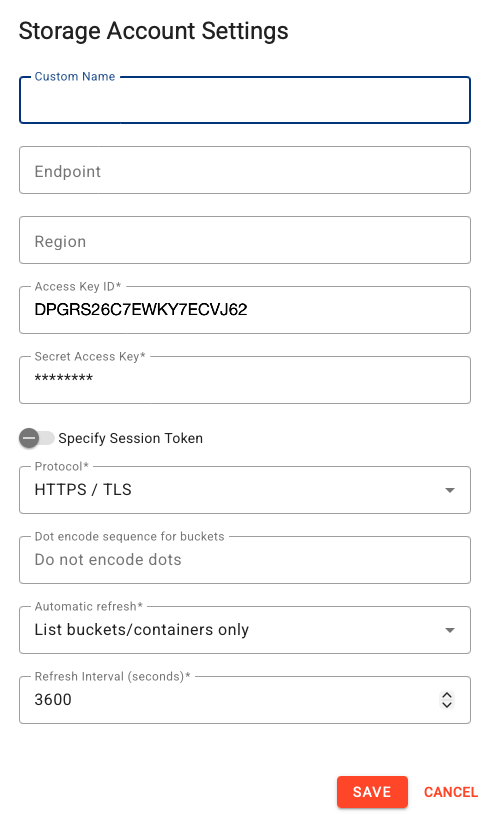
Hovering over the Endpoint and Identity fields reveals a copy button for easy copying of the contents.
Press LOG to review log data for the entire Storage Account (including Refresh events).
The ADD BUCKETS button allows entering a space-delimited list of bucket names to add to the Storage Account configuration on Flexify.
The REFRESH button allows the user to manually force a refresh of the list of buckets and, if enabled, statistics for each of the buckets.
Refreshing statistics for all buckets might might be expensive due to cloud provider’s API request fees.
REMOVE allows the user to hide a Storage Account from Flexify. No data will be deleted and you can add it again later with all its buckets and containers.
SETTINGS button shows settings which may be configured for an existing Storage Account.
Storage account settings
The Storage Account Settings dialog allow modifying settings of the storage account such as authentication keys, endpoint URL, or automatic refresh schedule.
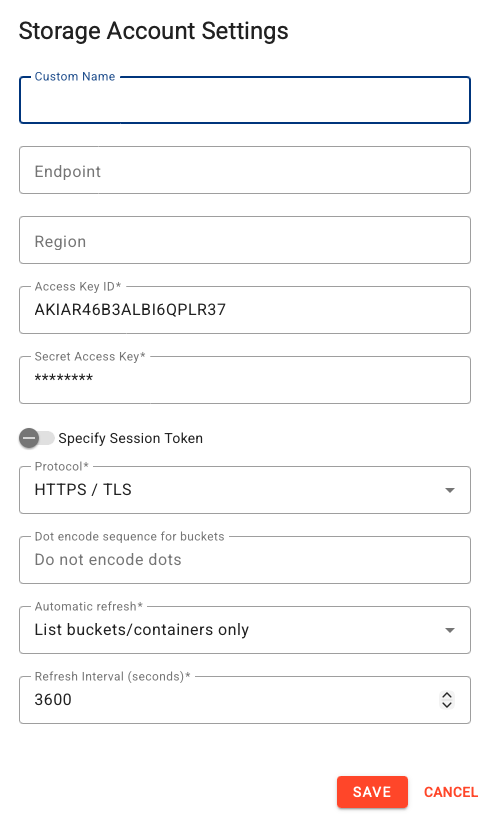
You may define a Custom Name for the Storage Account, essential to differentiate multiple Storage Accounts hosted by the same provider.
Endpoint and Region are account-specific specific endpoint and region for storage providers that require specifying those value or allow overriding default values.
Access Key Id and Secret Access Key are authentication keys used be Flexify when sending requests to the storage provider,
Protocol allows you to enable or disable encryption for data transfers with this Storage Account.
The Automatic refresh pull-down allows you to choose what should be refreshed at the interval specified in Refresh interval (seconds). Options available are:
Do not refresh automatically
List buckets/containers only
List buckets/containers and objects
Choosing List buckets/containers and objects, even with more modest number of objects in your buckets, can soon add up to a significant cost. This is because listing objects will use the S3 ListObjectsV2 (or similar) operation to get every object in every specified bucket. This operation usually return 1000 objects per request, and so if there are millions of objects in your buckets, this request will be made many times and this could be expensive.
If bucket name(s) were specified when the Storage Account was configured, the bucket names list will not be automatically refreshed.
Additional Azure Blob Storage settings
There are additional option for Azure Blob Steerage accounts:
Specify Session Token reveals an additional field for entering the correct Session Token for use with this Storage Account.
Dot encode sequence for buckets allows configuring a sequence of characters to replace dot characters in object paths within buckets, to avoid compatibility issues (typically found where Windows systems will access objects).
Remove storage account
Removing a storage account from Flexify.IO leaves the underlying storage and its data intact. If it is attached to virtual endpoints or virtual buckets, Flexify.IO asks you to confirm detaching it before removal.