Flexify.IO Entra ID application consent
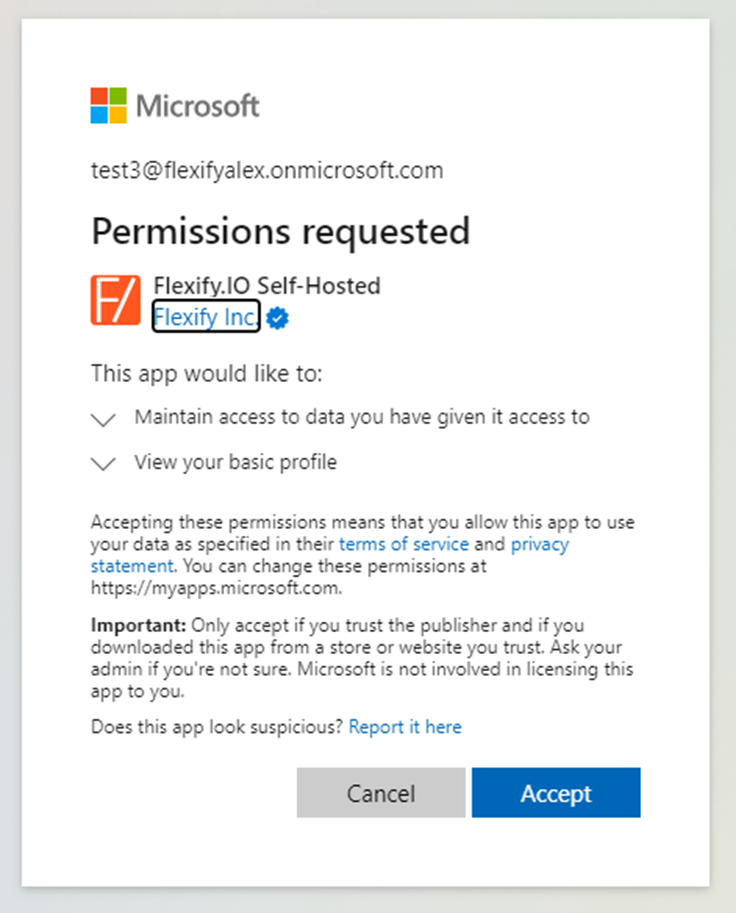
To use Entra ID with Flexify.IO users or admin of user’s Azure tenant need to give consent to use application. The consent is typically asked during first authorization.
User's consent
Users can give consent by themselves if admin of the user’s Azure tenant allowed users to give their consent (default setting). Otherwise admin can allow users to give their consent to only verified apps with low impact permissions.
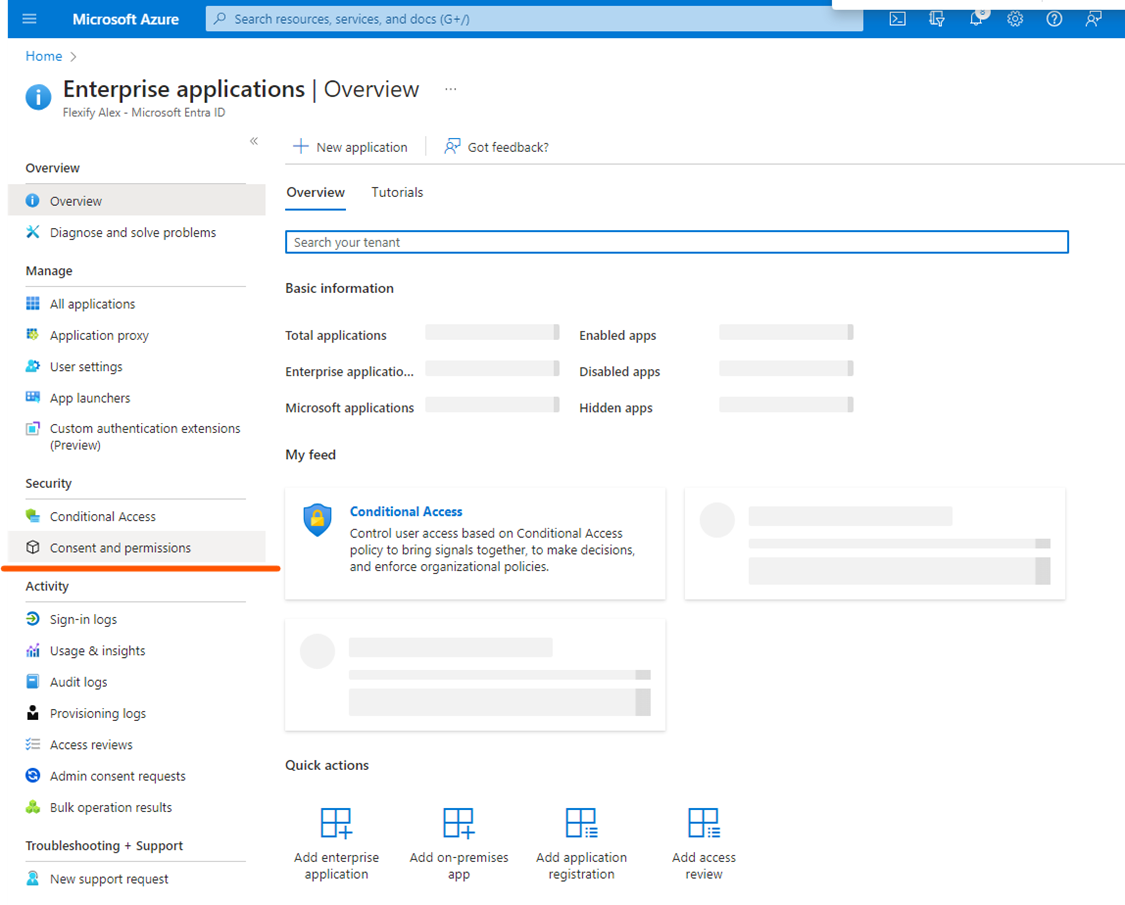
In Azure Portal go to Enterprise application - Consent and permissions:
Then add low impact permissions:
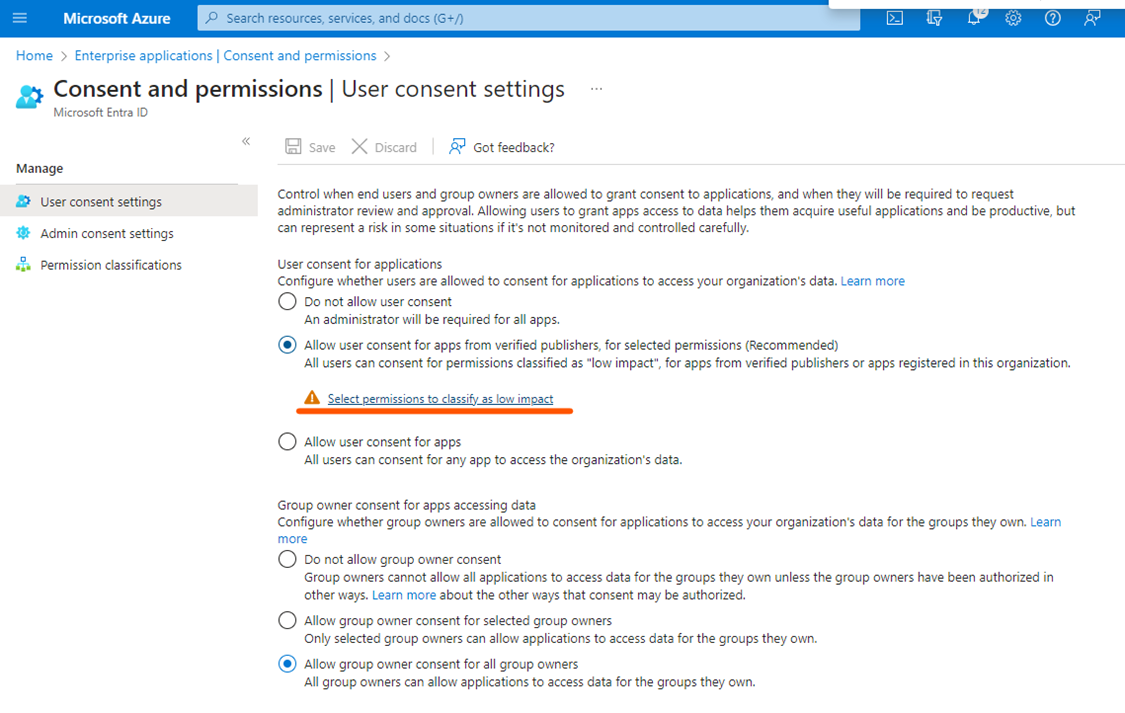
After adding these permissions all users in your directory will be able to give their consent for Flexify.IO app while authorizing with Entra ID for the first time.
Admin consent
Admin can allow users to users to request access to applications via admin consent workflow.
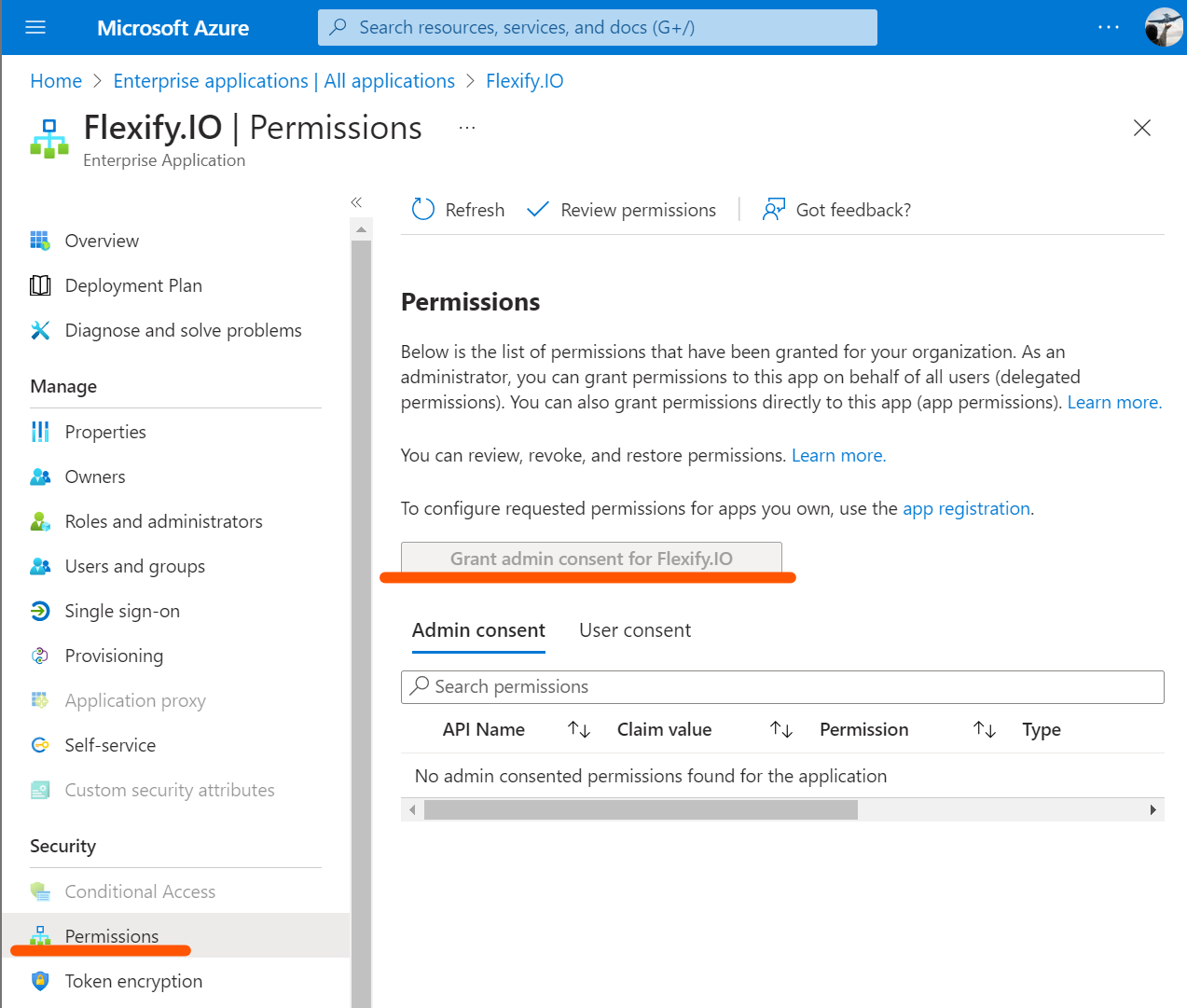
Instead of user consents, admin of the tenant can grant consent to app permissions. This way all users in the tenant will not be asked for consent during authorization. Also this will ensure that only one device code is required during Azure link authorization for self-hosted apps with device code flow (ADD LINK).
To grant admin consent:
Proceed to Azure portal - Enterprise applications
Find application named
Flexify.IOor your custom appliaction used for authorizationGo to Permissions and click Grant admin consent for <app name>