Deploying Flexify.IO Azure Managed Application
Flexify.IO can be deployed as managed application from Azure Marketplace or application definition file.
Prerequisites
Azure subscription
The subscription should have registered resource providers for:
Microsoft.WebMicrosoft.SqlMicrosoft.NetworkMicrosoft.StorageMicrosoft.ManagedIdentityMicrosoft.Compute(for Engines)
The subscription should have enough quotas for:
App Services:
PremiumV2Compute:
Standard Dv4 Family vCPUs(or the size you specify)
Deploy Managed Application
Open https://marketplace.microsoft.com/en-cy/product/flexify.azure-s3-api-managed-app
Click Get It Now
Follow the steps
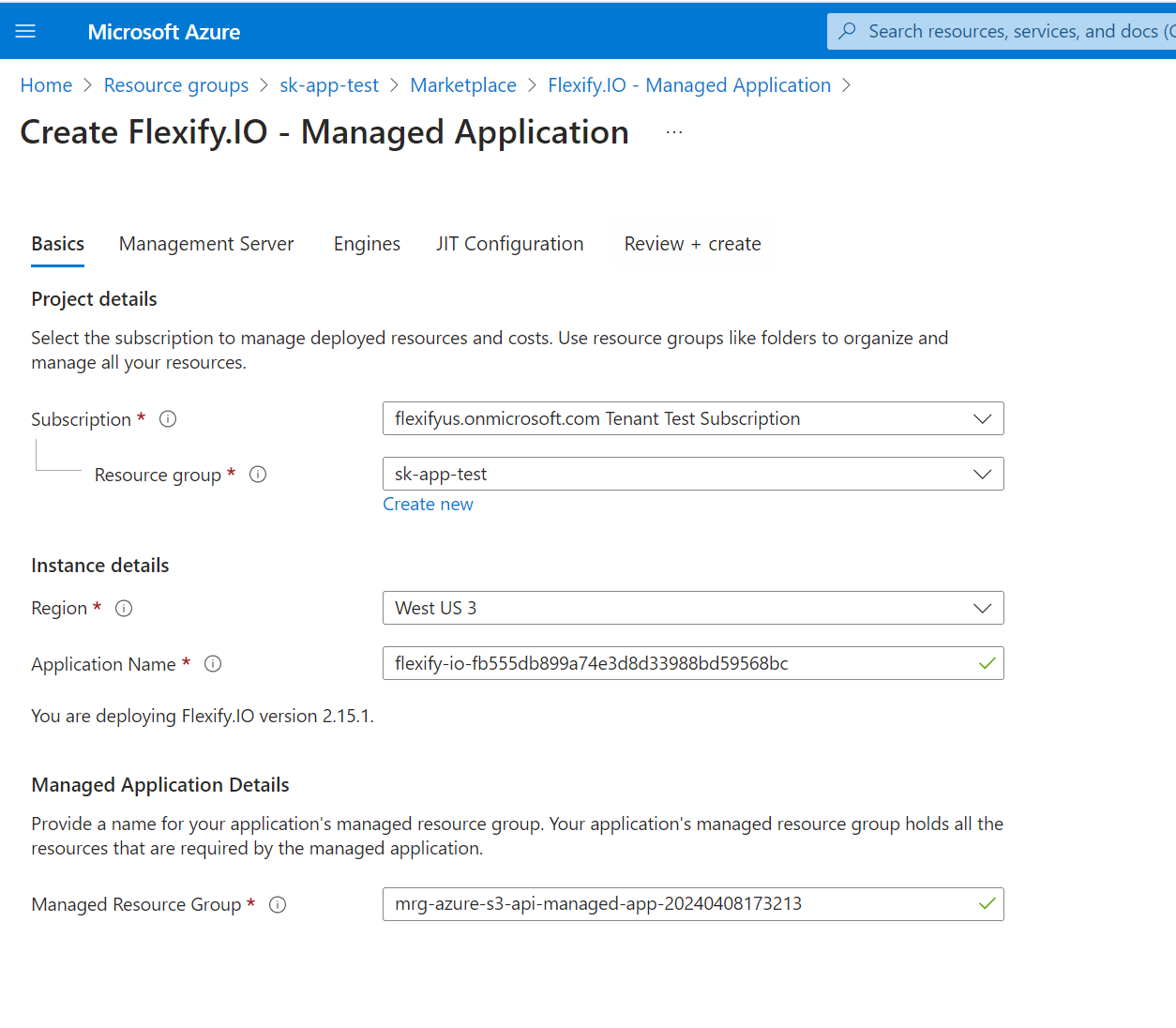
Using existing Virtual Network
By default, Flexify.IO Managed Application creates a new Virtual Network (VNet). It is possible to avoid this and deploy the application to existing Virtual Network.
To deploy Flexify.IO Managed Application to the existing VNet:
Make sure your VNet have at least two subnets:
The Management Server subnet has:
Microsoft.Web/serverFarmsdelegationService Endpoints for
Microsoft.SQLandMicrosoft.Storage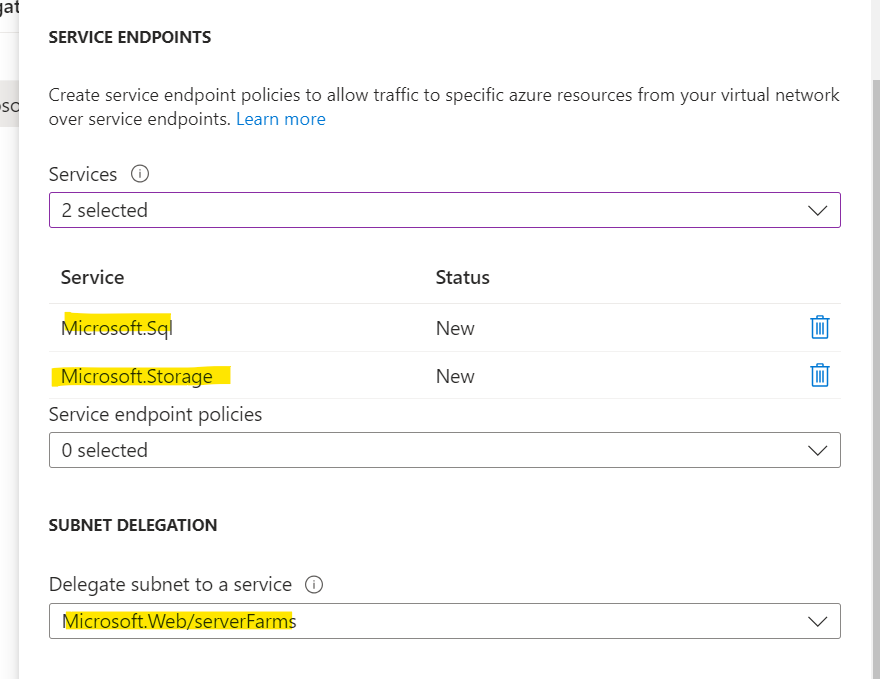
Create a User Assigned Managed Identity
Assign following permissions (or a role such as Network Contributor) to the Managed Identity on your existing VNet:
If Private Link is not used:
Microsoft.Network/virtualNetworks/join/actionMicrosoft.Network/virtualNetworks/subnets/joinViaServiceEndpoint/ActionIf Private Link is used:
Microsoft.Network/virtualNetworks/join/actionMicrosoft.Network/virtualNetworks/subnets/join/action
In the Managed Application configuration, put the VNet integration checkbox and select your existing VNet and subnets.
On the Managed Identity tab, click Add and add the User-Assigned Managed Identity you’ve created before.
Deploying without resources
In some cases you want to deploy Flexify.IO Managed Application just to get the Enterprise license, but would prefer to deploy application resources manually on AKS, via ARM template, or another method.
Simply uncheck both Deploy Flexify.IO Management Server and Deploy Flexify.IO Engines checkboxes, and no resources will be deployed.