Configuring Azure Managed Identity
Flexify Management Server uses Azure Managed Identity to:
Deploy engines to Azure Container Instances (ACI)
Red/write secrets to Azure Key Vault
Connect to Azure SQL Database
Organization Managed Identity Configuration
Managed Identity used to deploy engines or access Azure Key Vault is configured per organization. We recommend using system-assigned (or user-assigned in case of multiple organization) user identities.
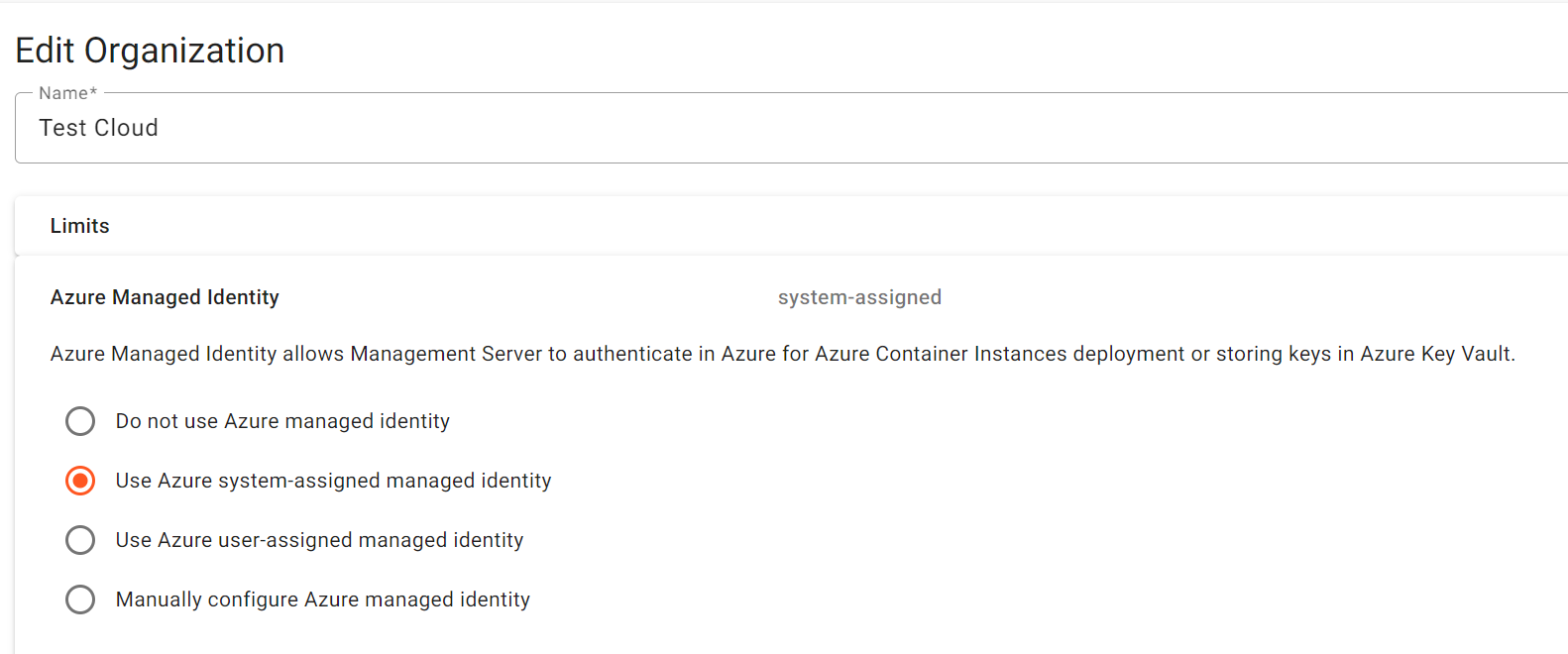
For this to work, Azure App Service must have Identity enabled
Azure Managed Identity with Azure Container Instances (ACI)
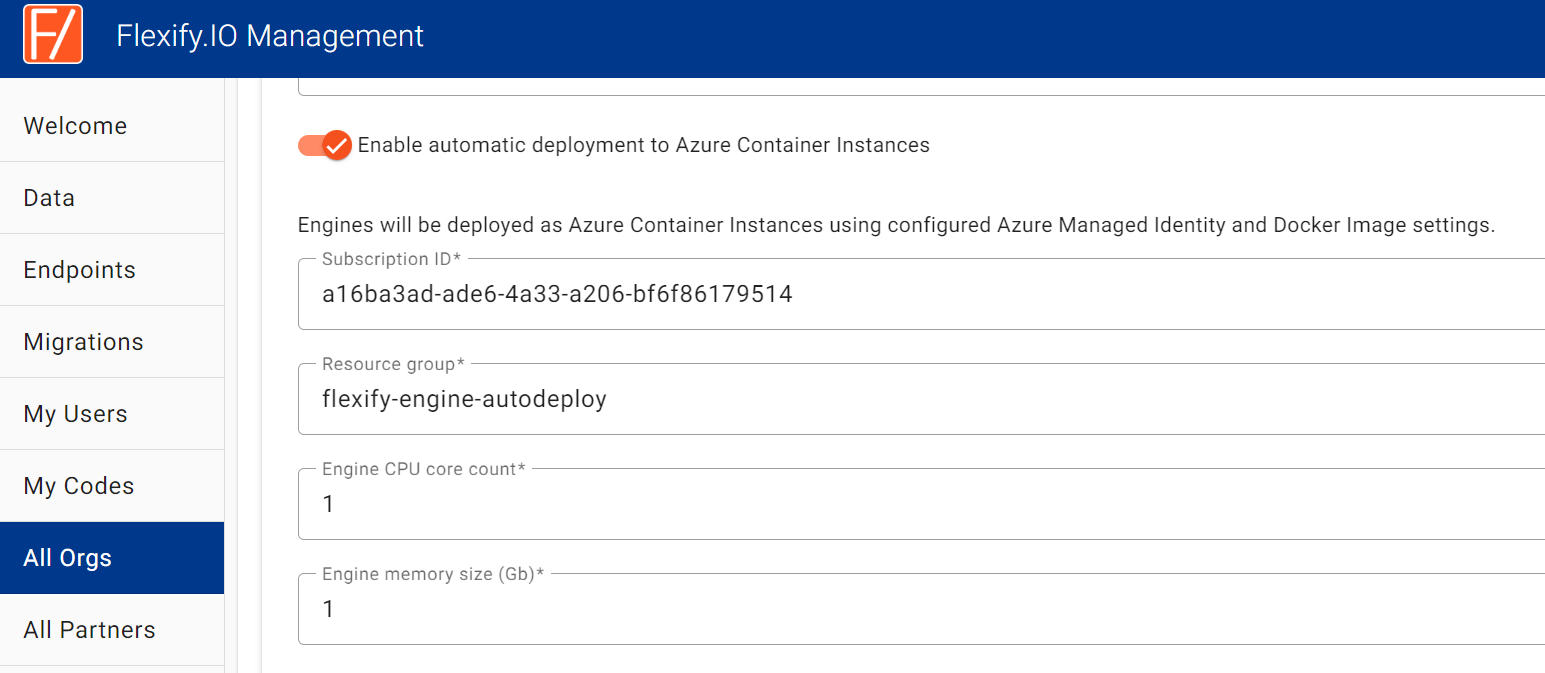
To enable engines deployment to ACI:
Create resource group.
Assign Contributor role to the Management Server’s managed identity for that resource group.
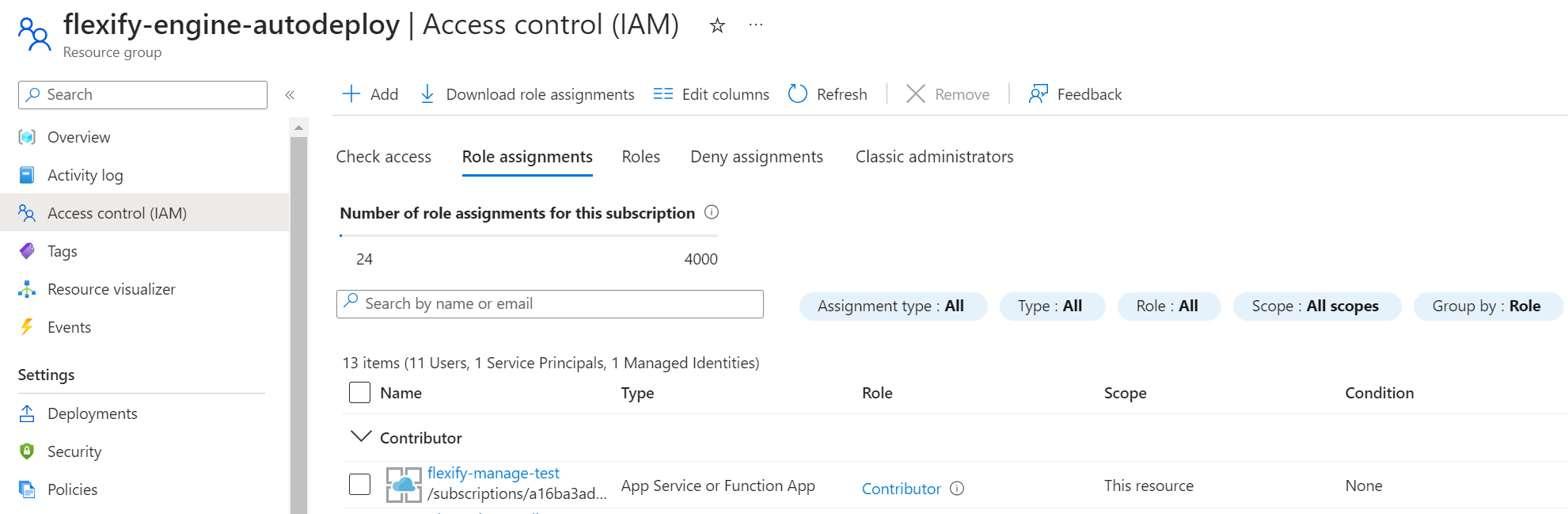
Specify the name of the resource group and its subscription ID in the Engines Deployment section of the Organization configuration.
Azure Managed Identity with Azure Key Vault
To enable Management Server read or write storage accounts and endpoints secret keys to Azure Key Vault, its Managed Identity should have Key Vault Secrets User (read only) or Key Vault Secrets Officer (read/write) roles on the key vault.
In Flexify.IO, admins (but not users) can specify Azure Key Vault’s secret resource ID instead of storage account or endpoint secret key by prefixing the resource ID with AzureKeyVault:. For example:
AzureKeyVault:https://demo-vault-name.vault.azure.net/secrets/ep-secret
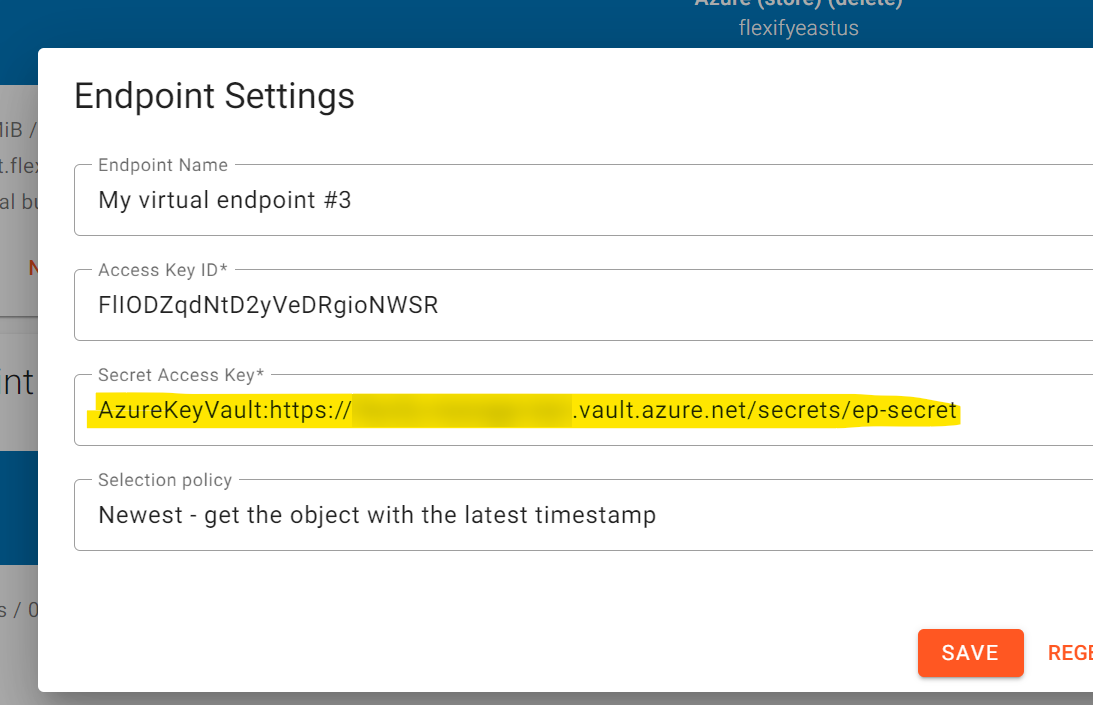
Specifying secret resource ID instead of Secret Access Key for Endpoint
Use Managed Identity to connect to Azure SQL Database
This can be achieved by SQL Server connection string options. See https://learn.microsoft.com/en-us/azure/spring-apps/connect-managed-identity-to-azure-sql?tabs=manual
Create user for the managed identity:
CREATE USER [flexify-db-name] FROM EXTERNAL PROVIDER;

ALTER ROLE db_datareader ADD MEMBER [flexify-db-name];
ALTER ROLE db_datawriter ADD MEMBER [flexify-db-name];
ALTER ROLE db_ddladmin ADD MEMBER [flexify-db-name];
Add
Authentication=ActiveDirectoryMSIto the connection string, such as:
jdbc:sqlserver://flexify-db-name.database.windows.net:1433;database=flexify-db-name;encrypt=true;trustServerCertificate=false;hostNameInCertificate=*.database.windows.net;loginTimeout=30;Authentication=ActiveDirectoryMSI;