Onboard users with sign-up codes
Sign-up codes let users register under your partner and apply predefined billing settings and roles. Use a code to onboard users without creating each account manually.
Before you begin
Sign in with an account that has the Partner Admin role.
Create a sign-up code
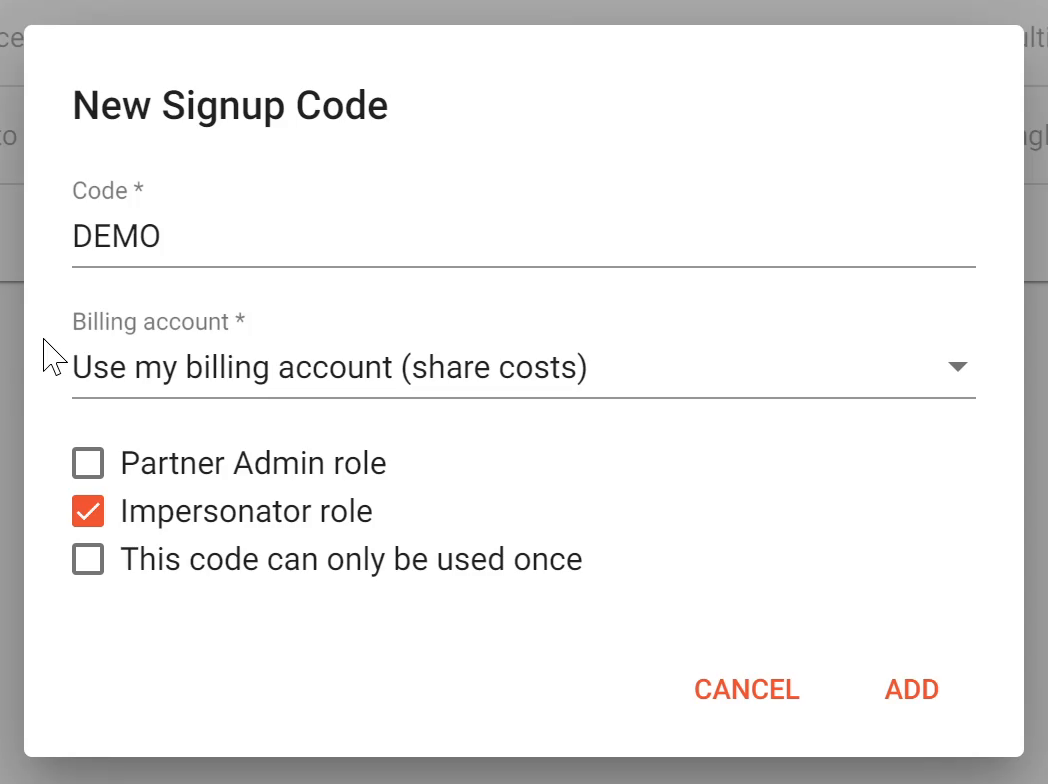
Open My Codes and select New Code.
Enter a value in Code.
Choose a Billing account option.
If you select Create new billing account, choose the Price list to apply.
Select Partner Admin role or Impersonator role if users registering with this code need those permissions.
Select This code can only be used once to restrict the code to a single registration. Leave it cleared to allow multiple registrations.
Select Add.
Billing options
Option | Result |
Create new billing account | Create a separate billing account for the new user, using the selected price list. |
Use my billing account (share costs) | Associate the new user with your billing account. |
Sharing a billing account does not by itself share storage accounts, migrations or endpoints. Use impersonation to give several users access to the same working account.
Register using a code
Share the code or copy its registration link from My Codes.
Ask the user to open the link and complete the sign-up form. If they open the standard sign-up page, they can enter the code in the form.
The user completes registration and receives the billing settings and roles configured for the code.
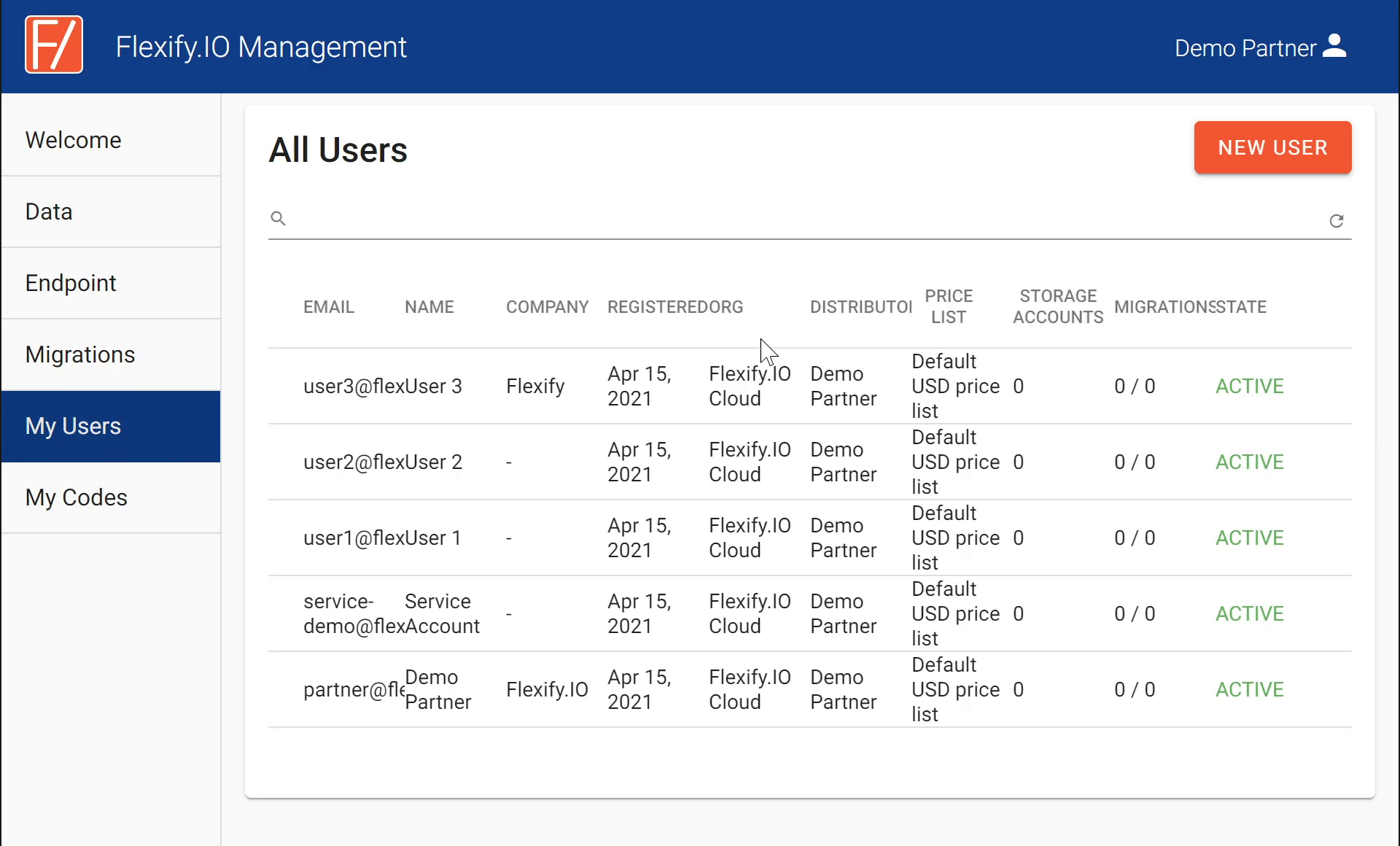
The new account appears in My Users.
Review code usage
Open My Codes to review each code's billing account, price list, roles, single-use or multiple-use setting, availability and users who registered with it.
Automatically grant shared-account access
You can associate a sign-up code with an account's Impersonation settings. New users registering with that code are then added to the account's allowed users automatically.
The code must also grant the Impersonator role for those users to switch to the shared account. See Share account access with impersonation for the setup procedure.
When a user registers without a code
A user who registers without your sign-up code is not automatically assigned to your partner, even if their email address uses your company's domain. The account does not appear in My Users.
If an email domain is configured for your partner, Flexify.IO sends a Partner Alert: New User from Your Domain notification when a user registers with a matching domain but is not assigned to your partner.
Contact the user to arrange onboarding with the correct sign-up code, or contact Flexify support about assigning the existing account to your partner.