Configure Single Sign-on (SSO) with Entra ID
In order for users to use Entra ID for Single Sign-on (SSO), your Flexify.IO installation should be registered in Azure Active Directory.
This will set up Flexify.IO installation to use authentication code flow. In an environment with limited internet access you can use device code flow.
App Registration using Azure Portal
Go to App registration on Azure Portal.
Click New registration.
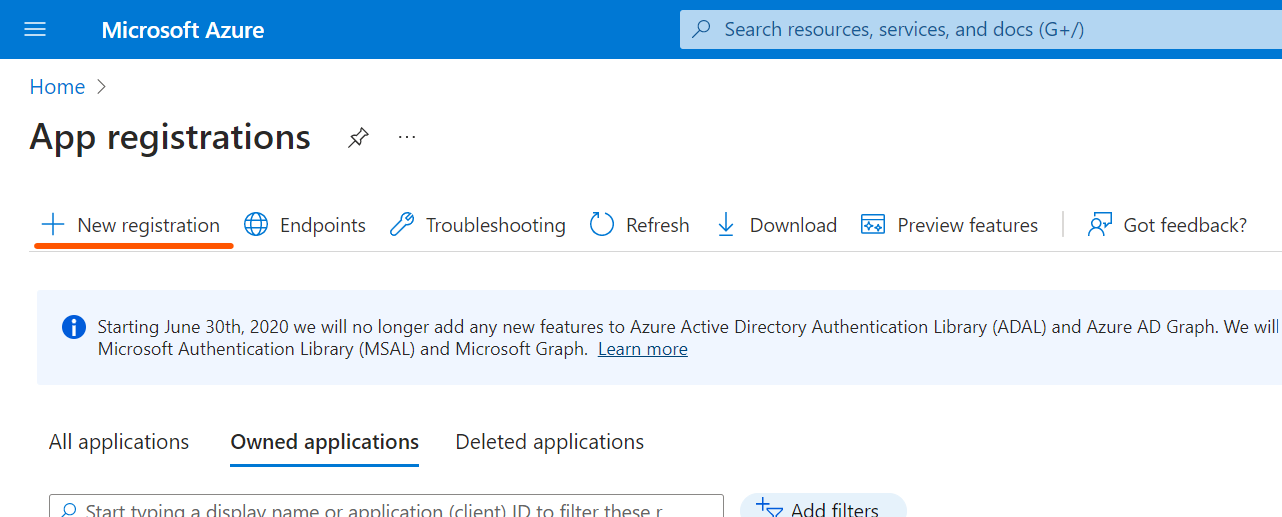
Type application name (it will be displayed to application users).
Select “Accounts in this organizational directory only (Single tenant)” to allow only users in your Active Directory use the application.
Add redirect URI:
Platform: Single-page application (SPA):
URI:
https://<web console DNS name>/flexify-io/manage/login-page/auth-finish/microsoft(orhttps://<web console DNS name>/login-page/auth-finish/microsoftfor SaaS).
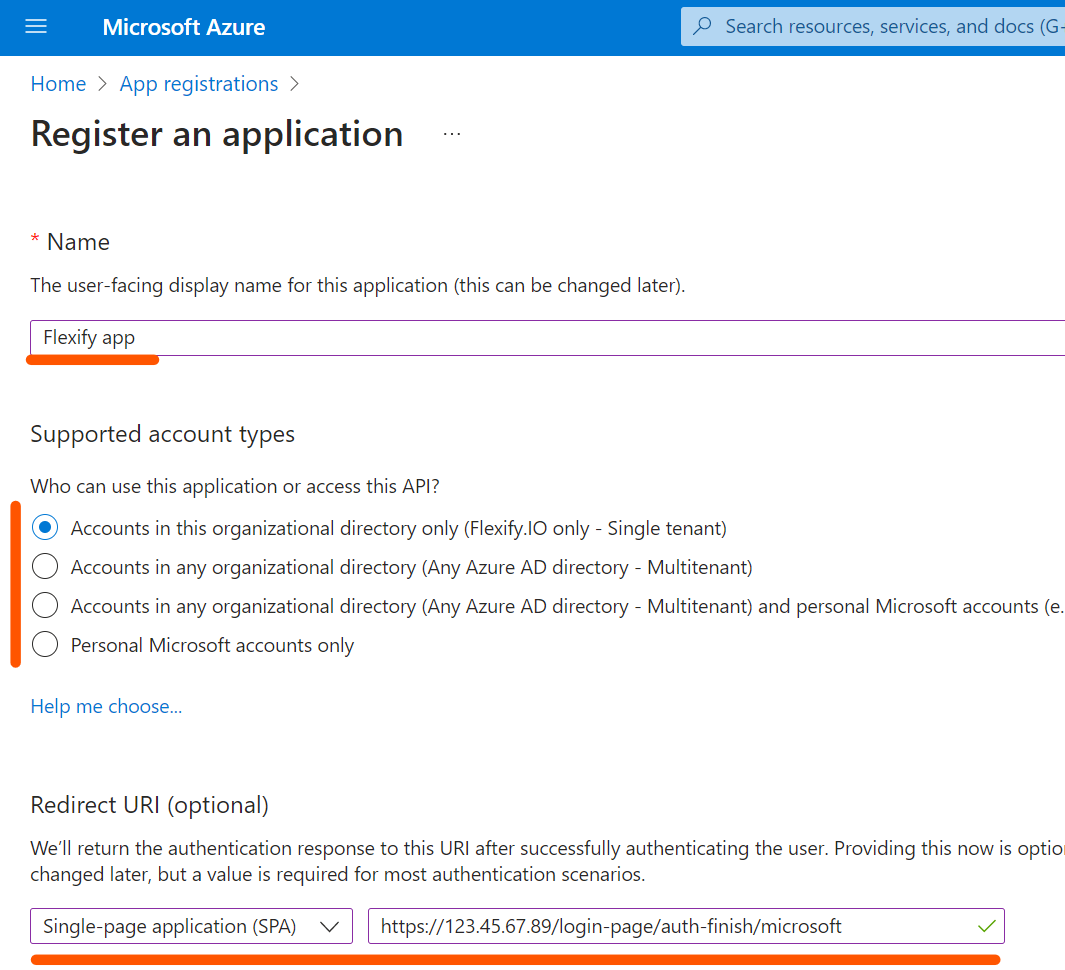
Add new scope. Application ID URI will be set up during the process. Please use default value
api://<client id>.
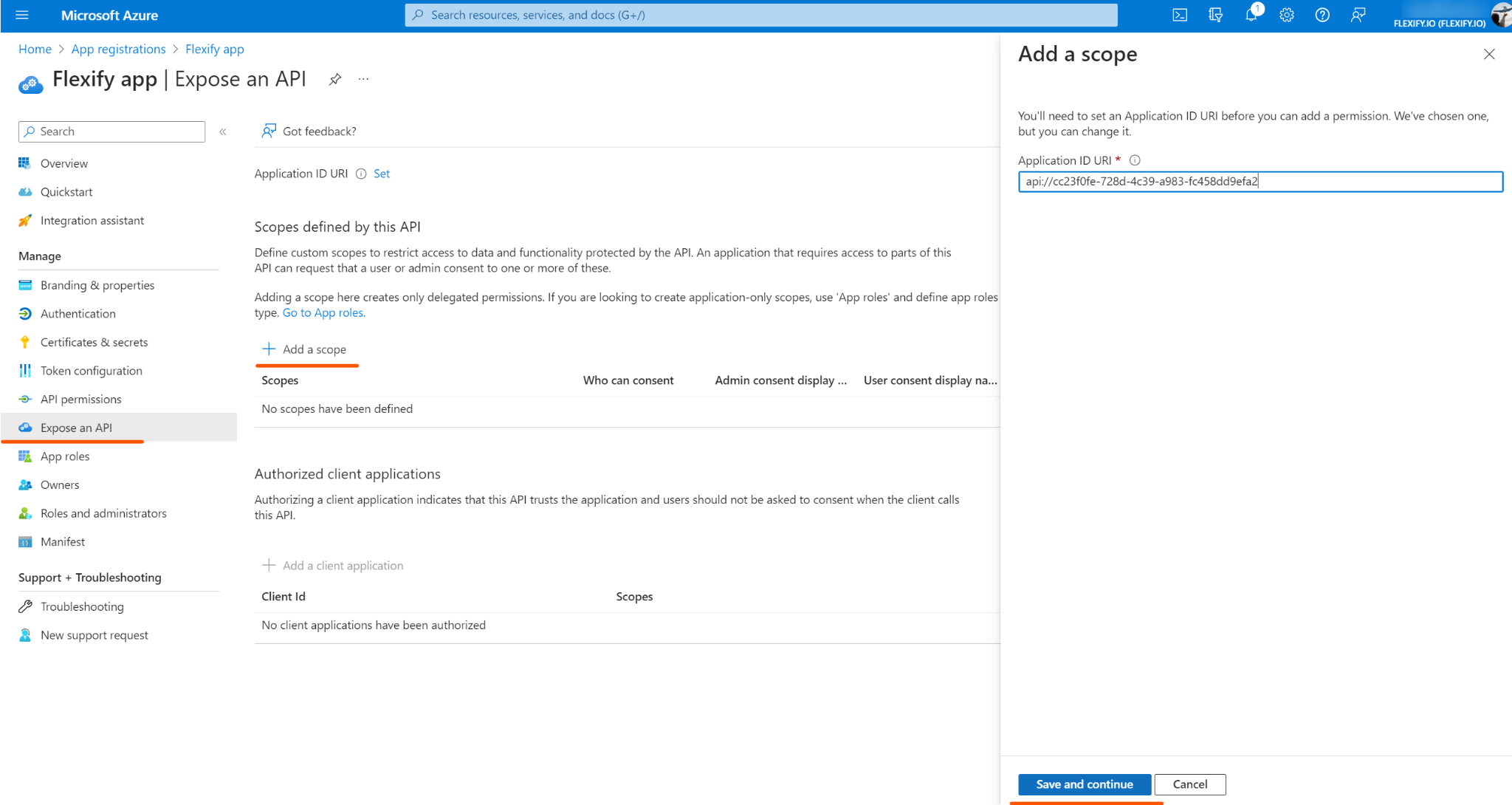
The scope name should be
general.
Review app settings at the Overview page. Make note of
client ID(andtenant IDif you chose Single tenant).
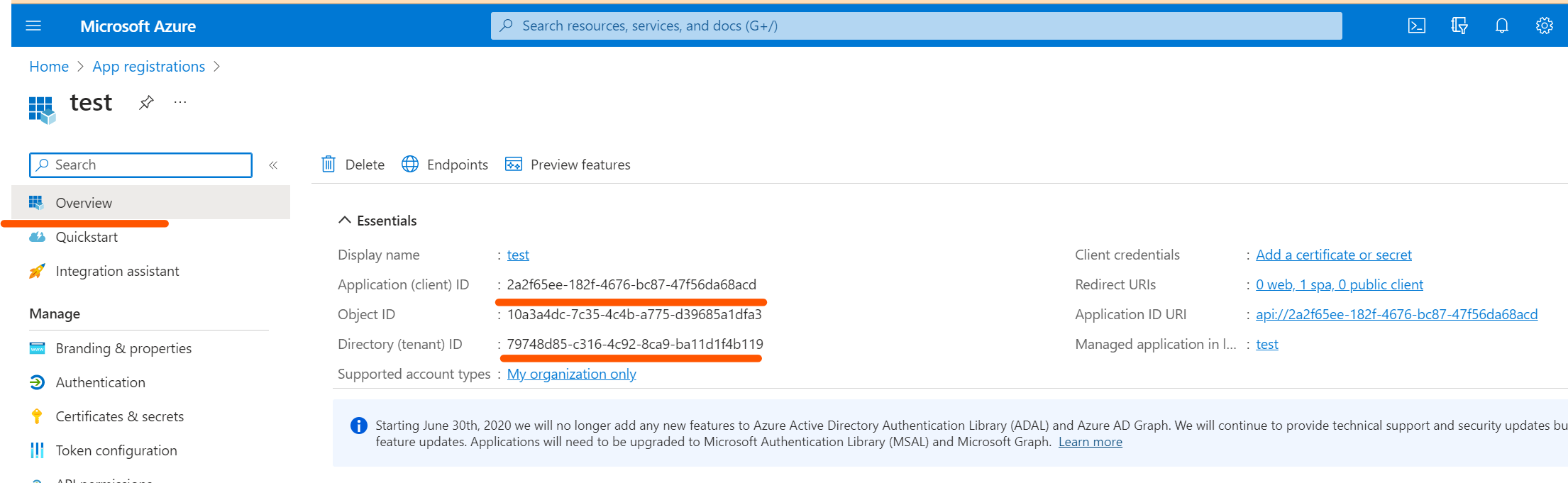
Specify those values in Management Server configuration. :
SSO_MICROSOFT_CLIENT_ID: <client ID>SSO_MICROSOFT_TENANT_ID: <tenant ID>(for single tenant only)
Restart the Management Server and reload web console in the browser.
Controlling who can sign in to application
By default all users from this tenant will be able to sign in to Flexify.IO. To prohibit this tenants to sign in:
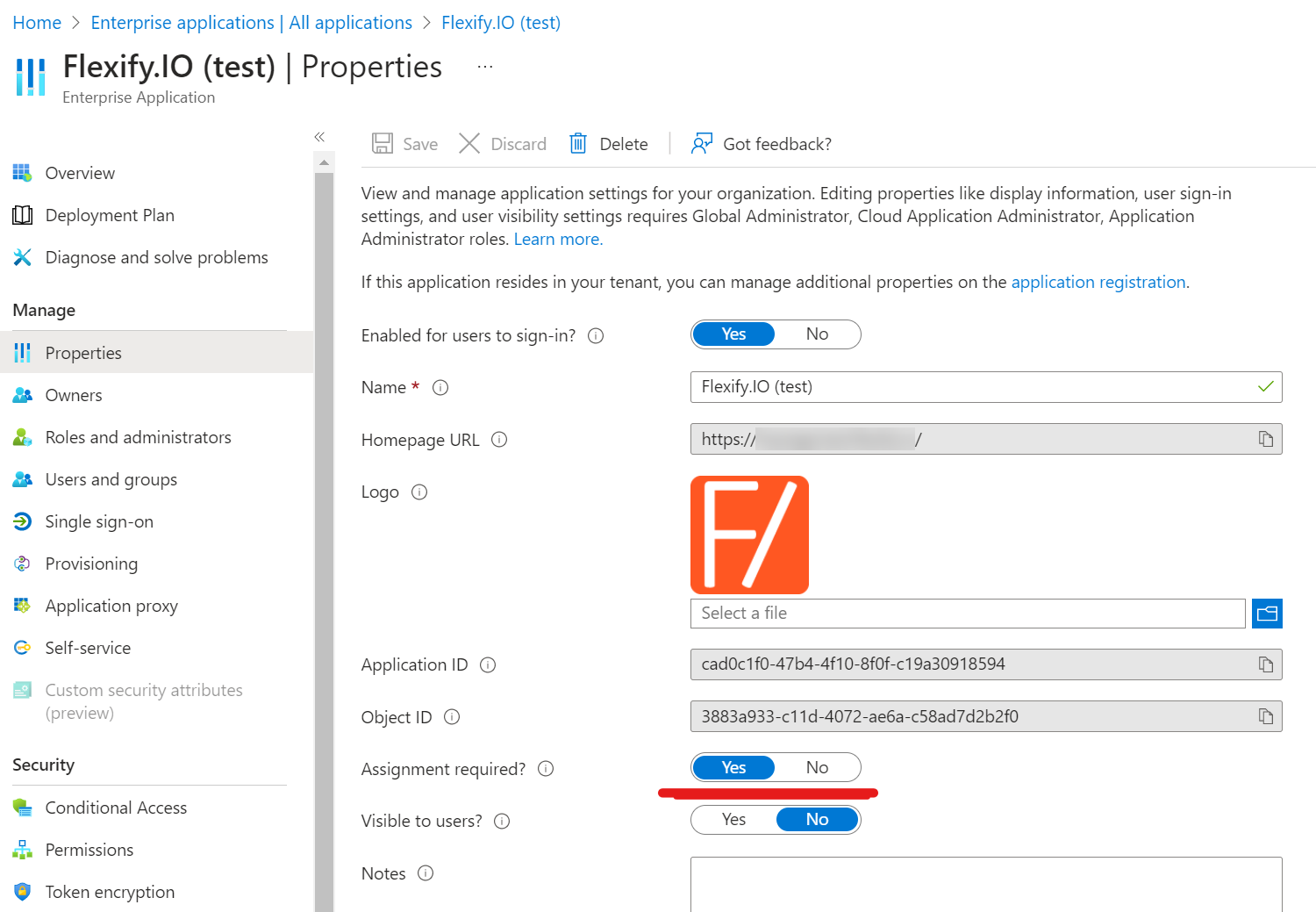
Find the newly registered application on the Enterprise applications blade.
On the Properties tab, set “Assignment required” to “Yes”.
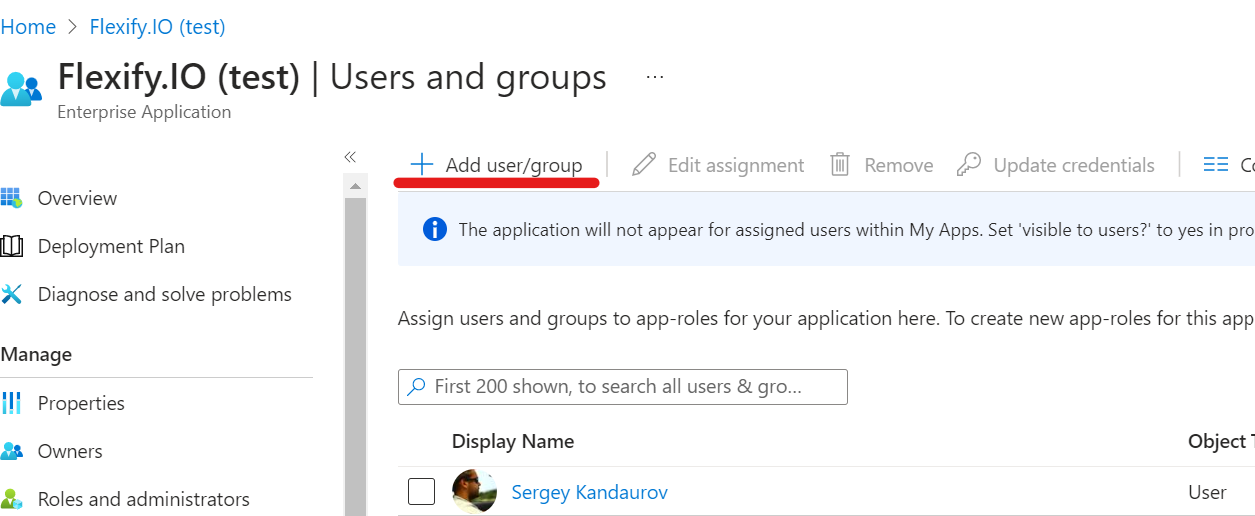
On the Users and Groups tab, click “Add user/group” and select users or groups who you’d like to be able to sign in to Flexify.IO.
You may need a few minutes for changes to be propagated.
Users/groups who are not in this list will not be able to sign un to Flexify.IO with Microsoft SSO.
If application was registered as multitenant, users from other tenants will be able to sign in to the application even if you disable sign in for your tenant’s users.
Device code flow
The device code flow can be used for SSO in an environment with limited internet access. If SSO_MICROSOFT_CLIENT_ID is not set, device code flow with Flexify.IO Self-Hosted app will be used for SSO with Entra ID. You can also register new application to use with device code flow if needed.
Disable Entra ID SSO
If SSO_MICROSOFT_CLIENT_ID is not set, device code flow with Flexify.IO Self-Hosted app will be used. To disable SSO with Entra ID set SSO_MICROSOFT_CLIENT_ID to empty string.