Configure Entra ID authorization for Azure storage accounts
To be able to use Entra ID for authentication for Azure storage accounts you need to register the application in the same manner as for SSO.
Register new application in the same manner as for SSO (skip step 5) or use existing app you are using for SSO.
Add Web-type redirect URL depending on your environment:
https://<web console DNS name>/flexify-io/manage/data/auth-finish/microsofthttps://<web console DNS name>/data/auth-finish/microsoft
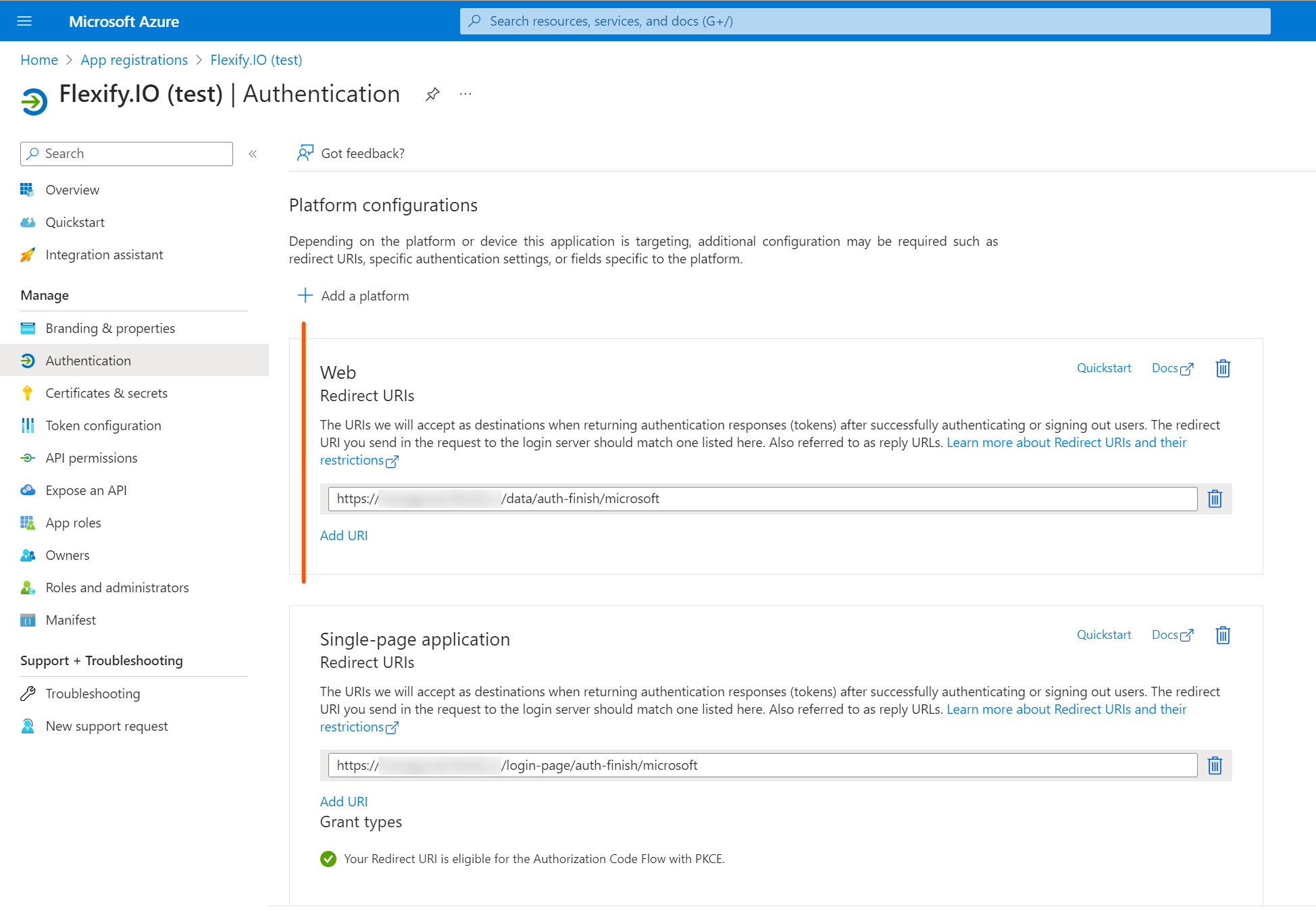
You can add this redirect URL to the app registration you are using for SSO or register separate app.
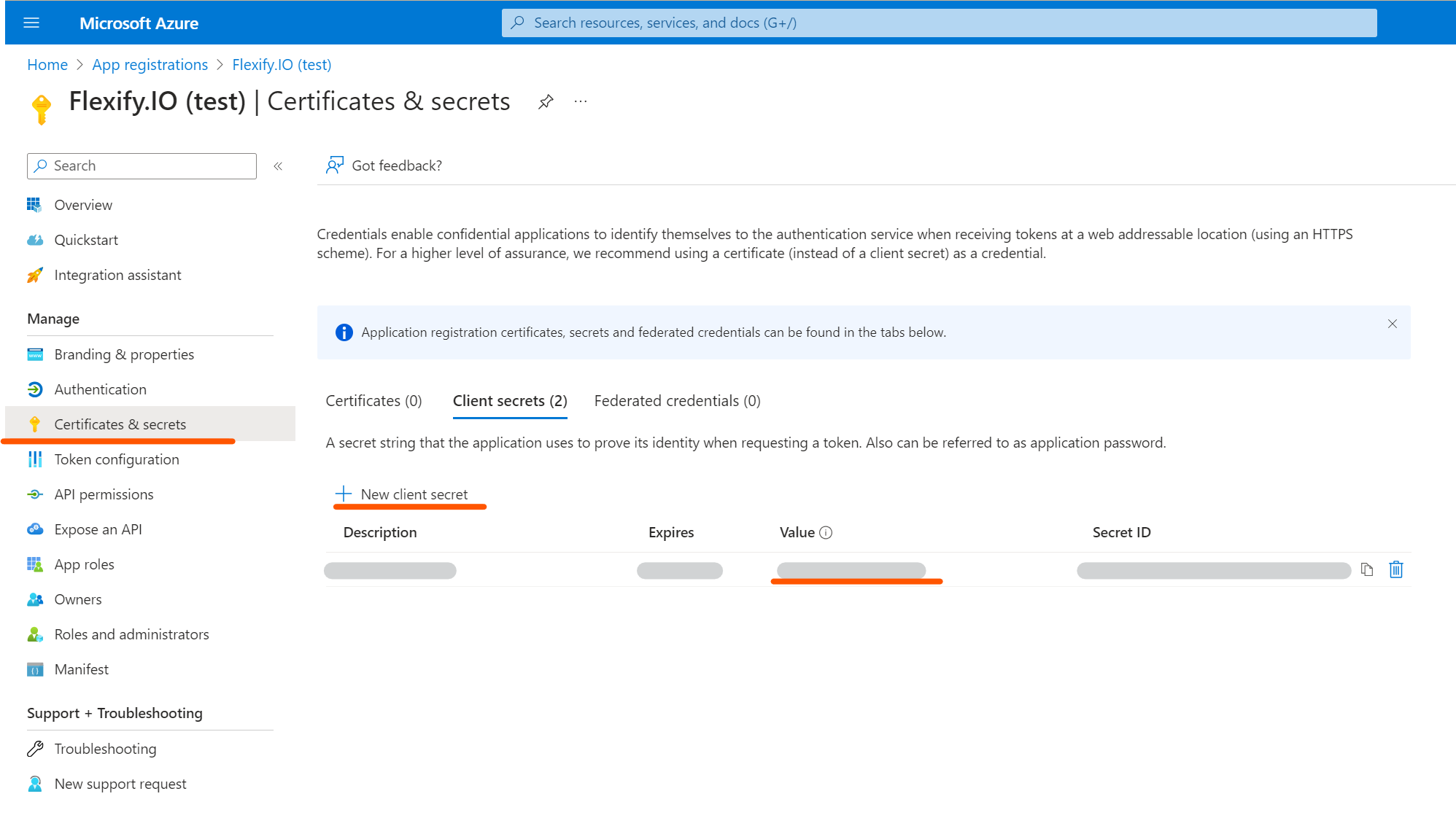
Add new client secret, copy the secret value to use it in step 5. Notice the secret has an expiration date.
4. Review app settings at the Overview page. Make note of client ID (and tenant ID if you chose Single tenant).
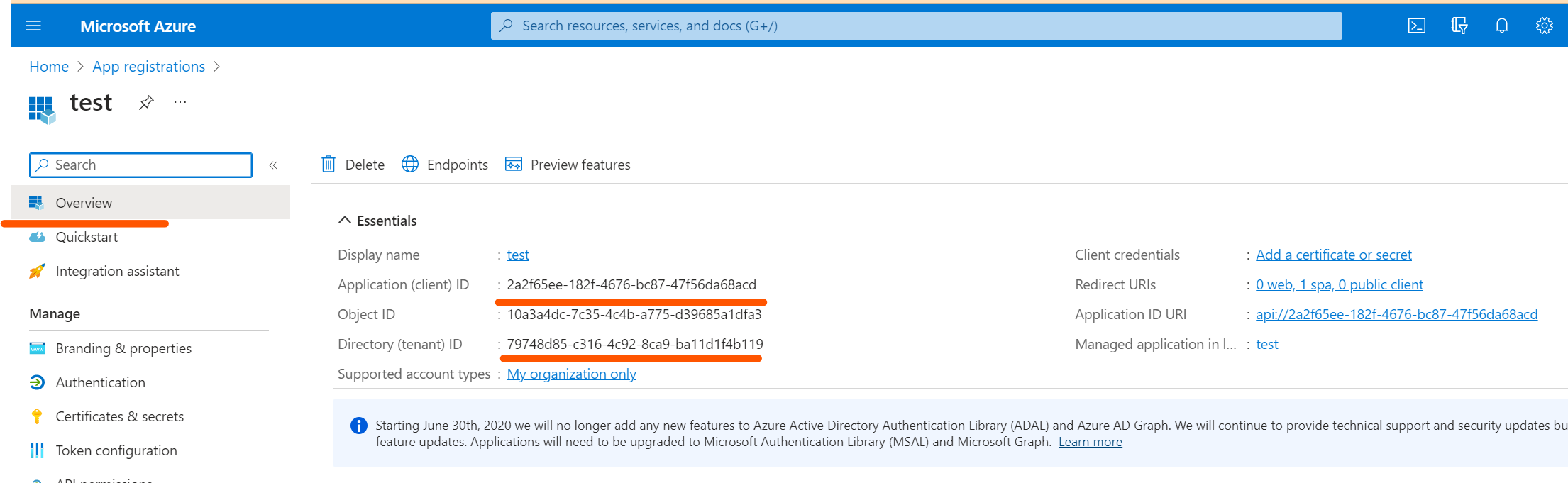
Specify those values in Management Server configuration:
STORAGE_OAUTH_MICROSOFT_CLIENT_ID: <client ID>STORAGE_OAUTH.MICROSOFT_TENANT_ID: <tenant ID>(for single tenant only)STORAGE_OAUTH.MICROSOFT_CLIENT_SECRET: <client secret value>
Device code flow
By default Flexify.IO Self-Hosted app will be used for Entra ID authorization for Azure storage accounts. You can also setup the application to use device code flow if needed. You just need app registration with allowed public client flows.
Do not set STORAGE_OAUTH.MICROSOFT_CLIENT_SECRET in Management Server configuration if using device code flow.
Disable
To disable Entra ID authorization for Azure storage accounts set STORAGE_OAUTH_MICROSOFT_CLIENT_ID to empty string. Device code flow with the pre-configured Flexify.IO Self-Hosted Azure app will be used by default.